Run a node from Citrate Core
currentCitrate Core runs a full Citrate Network node for you, supervised, inside the app. The Node surface is
the console for it. This page is for anyone keeping a node healthy at home or in a business. For the
daemon-level runbook (the same node, run by hand outside the app), see
run a Citrate Node.
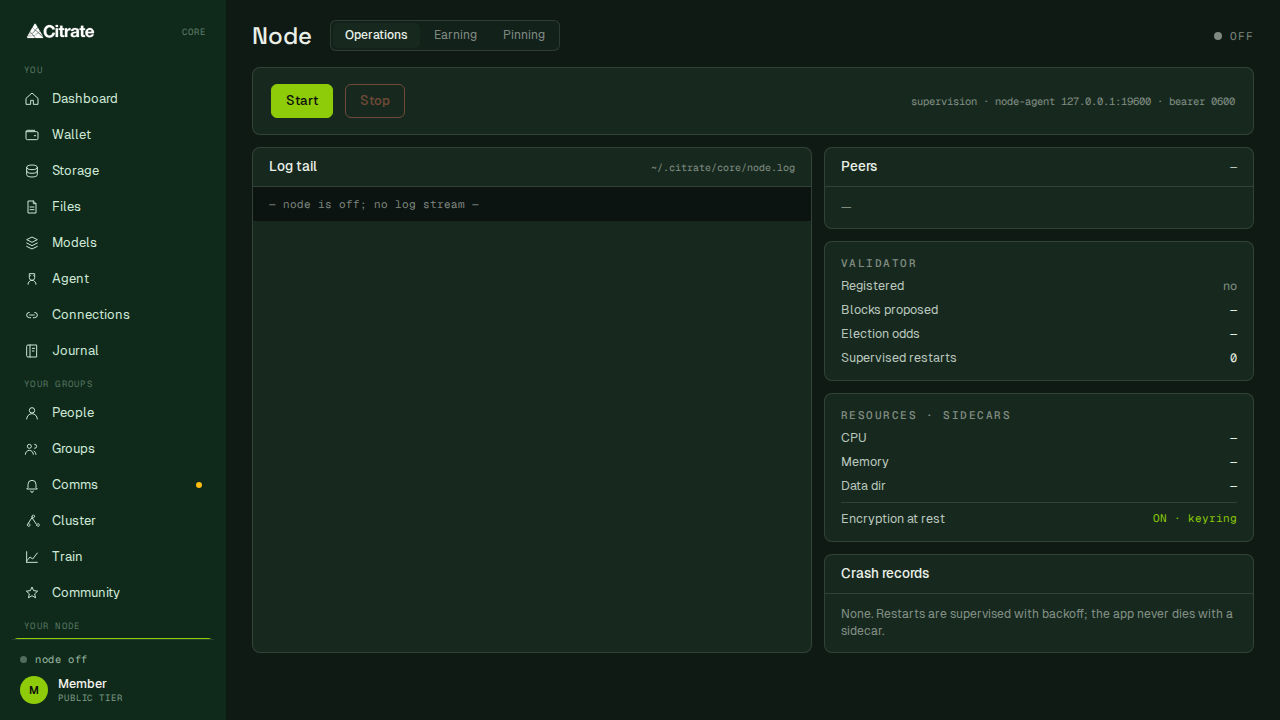
The Node surface
Three tabs: Operations, Earning, and Pinning.
Operations is the console. Start and Stop control the process. Below them:
- Log tail streams the node log (
~/.citrate/core/node.log) while it runs. - Peers lists who the node is connected to.
- Validator shows whether your stake is registered, how many blocks you have proposed, your election odds, and how many times the supervisor has restarted the process.
- Resources and sidecars shows CPU, memory, the data directory, and whether encryption at rest is on.
Encryption at rest reads
ON, keyring: the node's on-disk state is sealed with a key held in the operating system keyring. - Crash records lists any supervised restarts. The supervisor restarts the process with backoff, so a single sidecar failure does not take the app down.
What the node needs
A node is a long-running process that keeps a copy of the ledger live and, once your stake is registered, takes part in producing blocks. Practical requirements:
| Need | Detail |
|---|---|
| Network | outbound peer connections on port 30303; the app dials the network for you |
| Local ports | the node binds its RPC to 127.0.0.1:8545 and WebSocket to 127.0.0.1:8546, loopback only |
| Disk | a data directory under the app's data folder; plan for the ledger to grow over time |
| Memory | syncing is memory-heavy; budget several gigabytes of headroom while the node catches up |
| Uptime | the more your node is online, the more consistently it validates and earns |
The RPC surface is bound to loopback on purpose. It is a local interface for the app, not something exposed to the internet. If you ever need to reach it from another machine, put it behind your own reverse proxy deliberately; do not open the port directly.
How it stays correct
Citrate Core injects the network's consensus settings when it starts the node, and it ships a node configuration whose peer list includes the sequencer, so a fresh install finds the network on the first run. Two things are true by design and worth knowing:
- Block production is a network role tied to your stake, not a local switch. The shipped configuration
keeps the local
[mining]flag off; your node validates through its registered stake, not by racing to produce blocks on its own. - The node binary is matched to the app. Do not replace it with a binary copied from elsewhere. A mismatched node can appear to sync cleanly while computing a different view of the ledger, which quietly forks you off the network. Always take the binary that ships with the app, and let the app update it.
Keeping it healthy
- Leave the app running to keep the node online. The supervisor handles ordinary restarts on its own.
- Watch the
Nodesurface after an update or a restart: the log tail should advance and the peer count should be non-zero within a minute or two. - Back up your recovery phrase before you rely on the node for a stake. See keys and safety.
- The earning side, how a node is paid in SALT for the work it does, is covered under rewards.
Running it headless
Agents and headless operators can drive the same node lifecycle. The signing model stays the same: an agent can start, stop, and monitor the node, but any on-chain action it wants to take is routed to a human approval. See for agents.